Stop Being the Enforcer

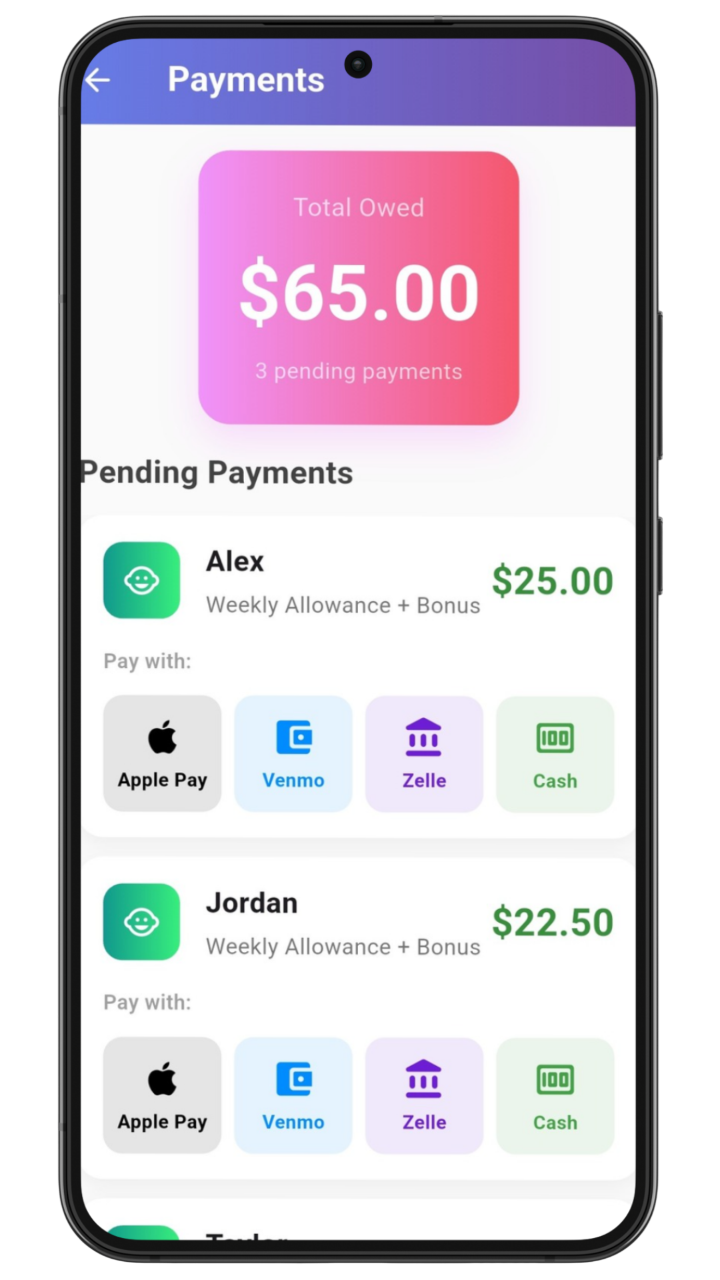
Allowable is a neutral system that sets clear expectations, tracks responsibilities, and removes you from the middle of allowance arguments.

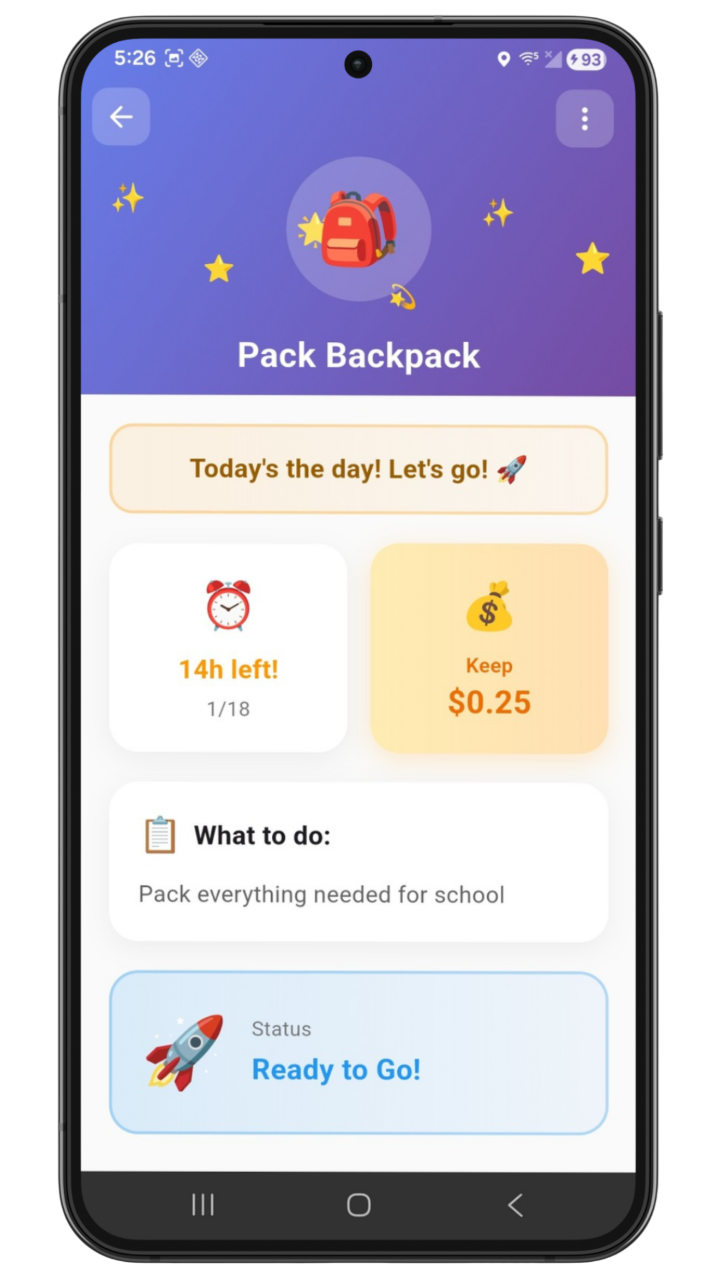
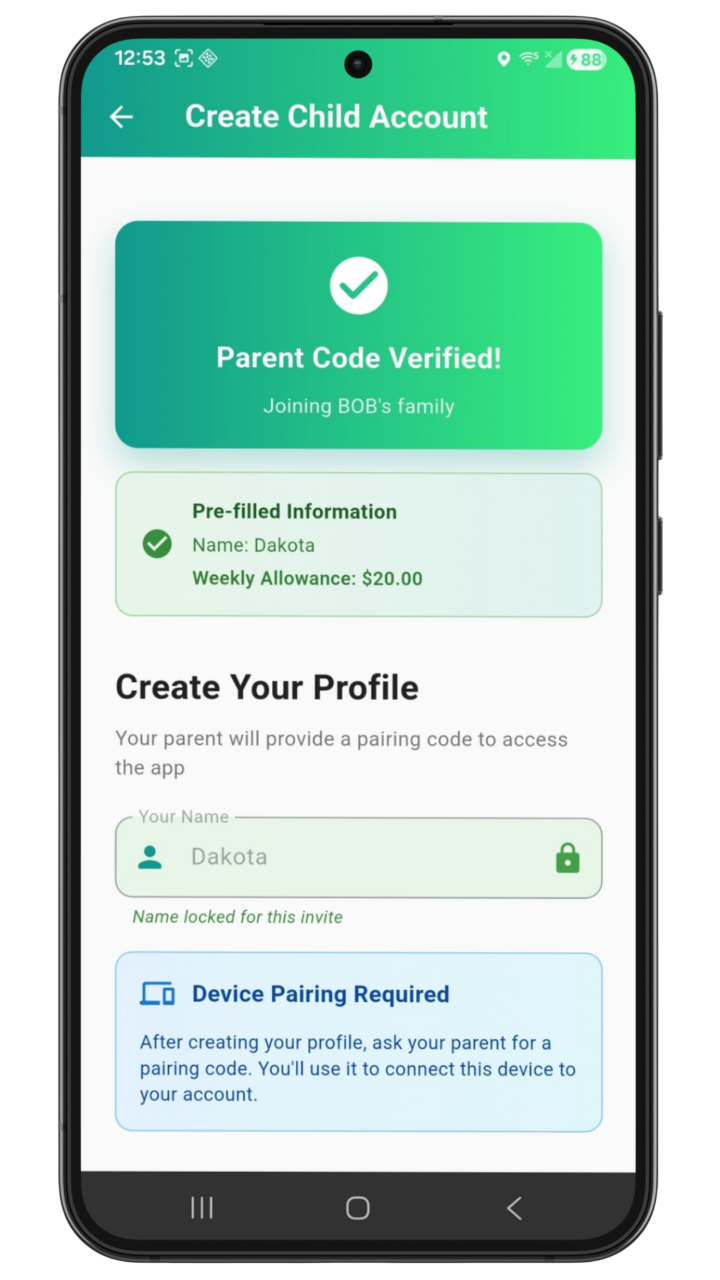
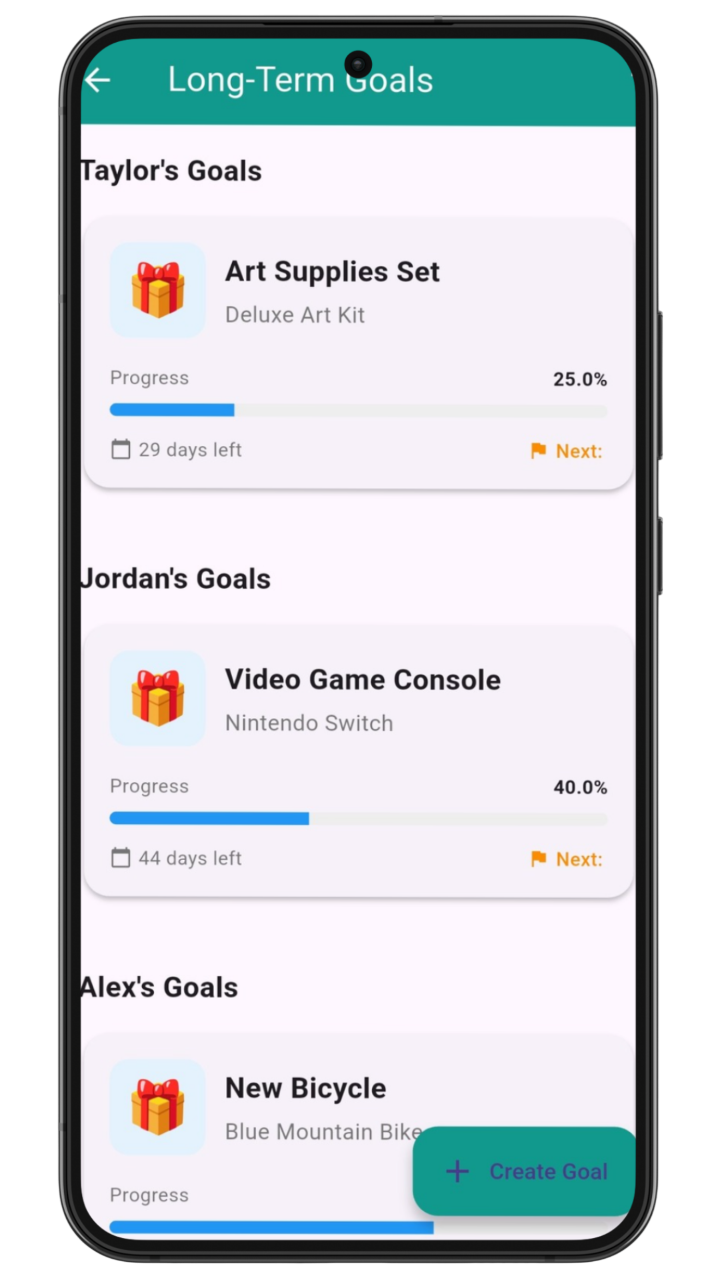
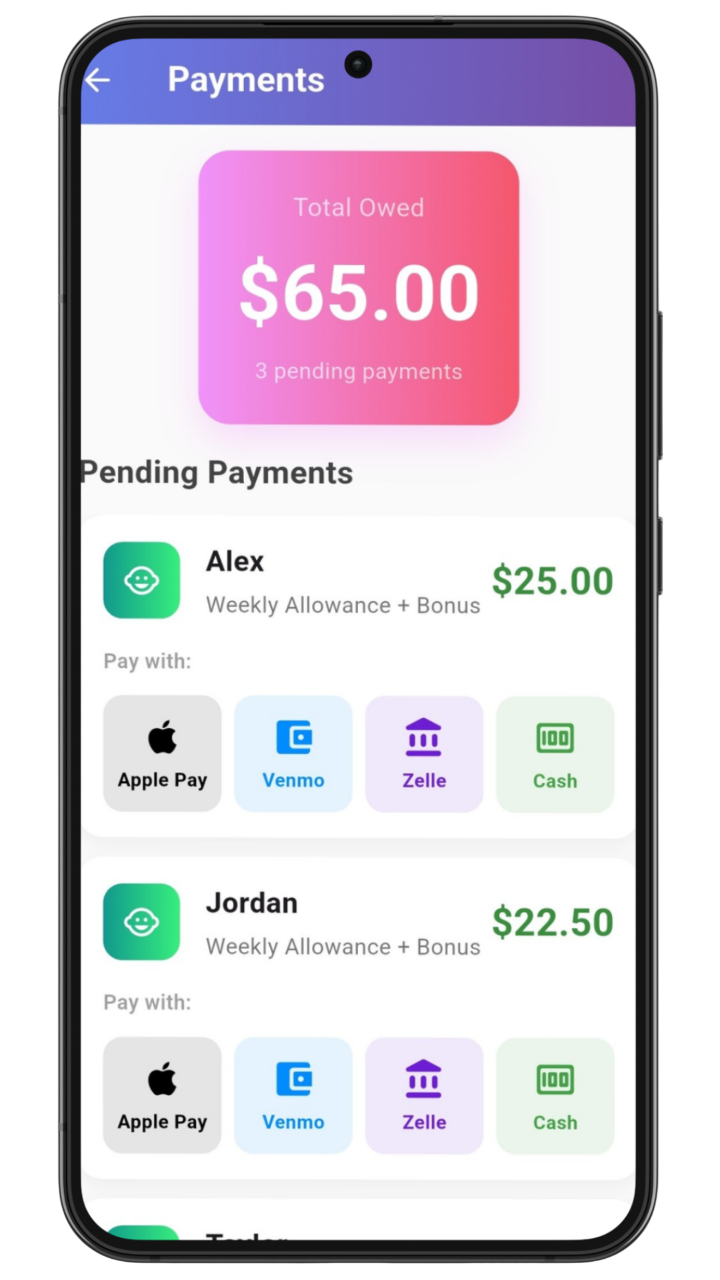
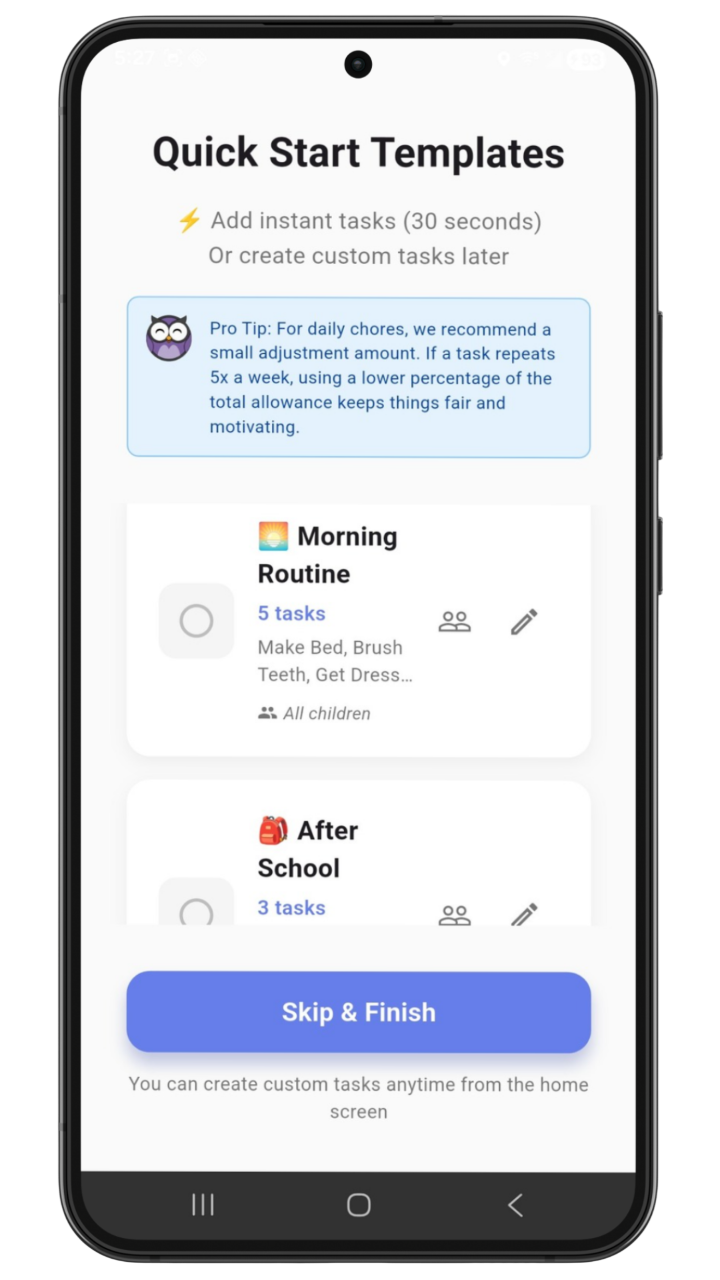
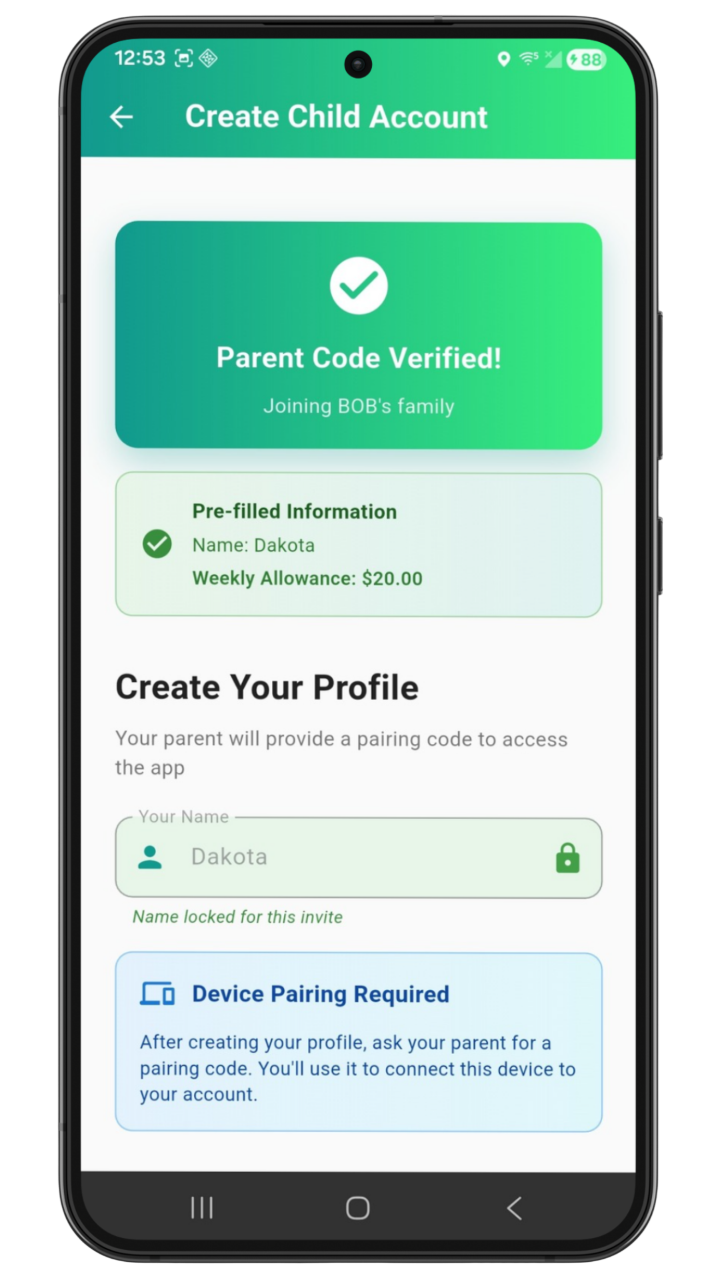
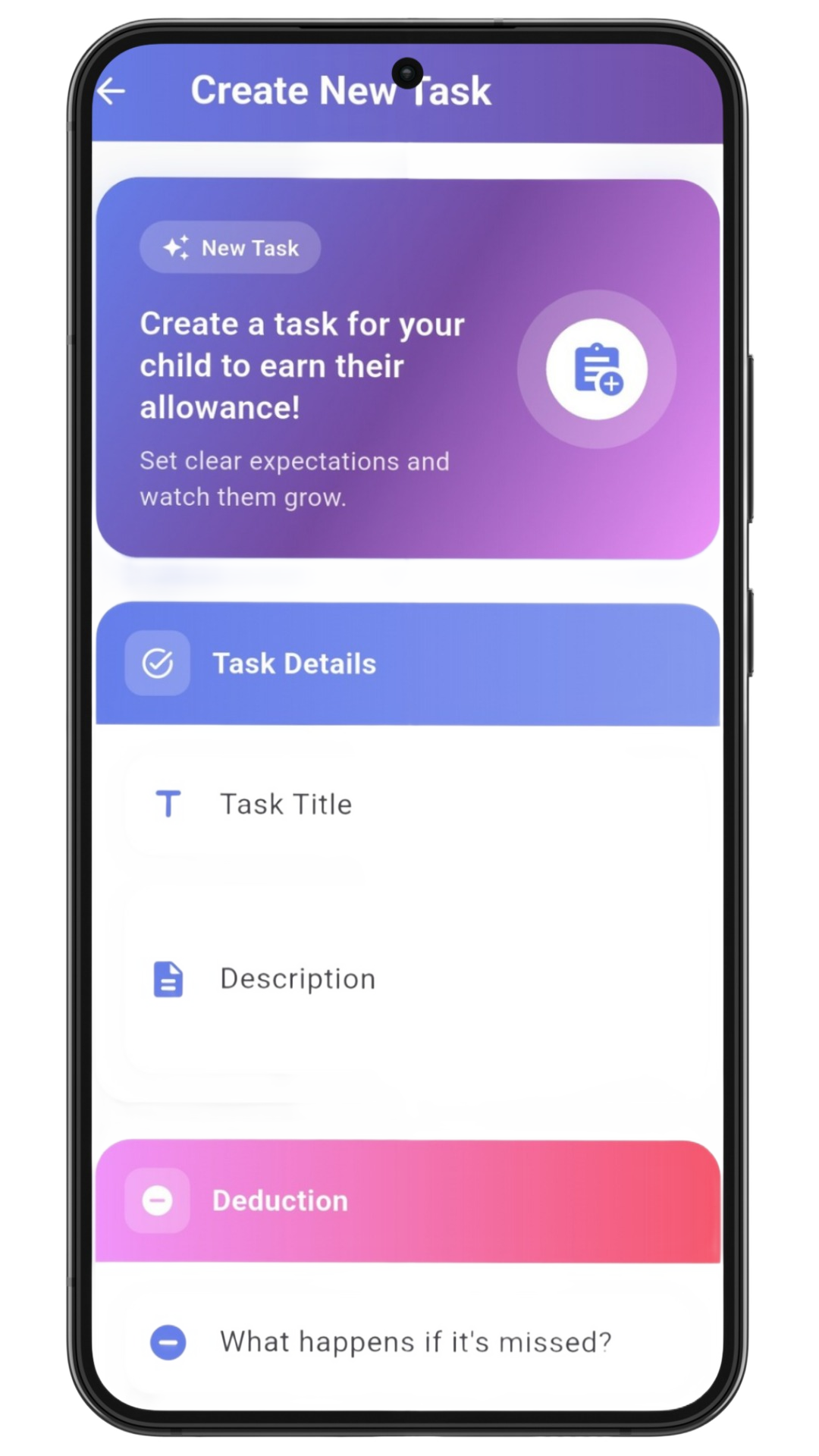
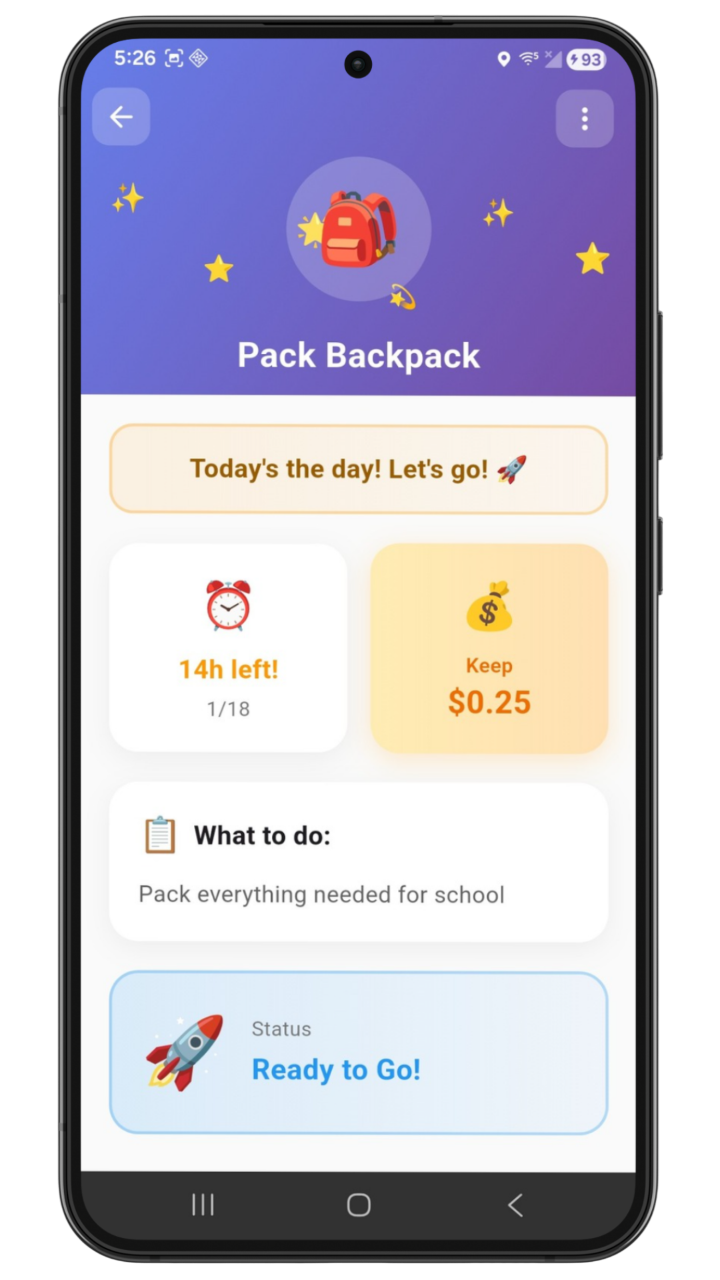
Allowable App Screenshot

Why I Built Allowable

I'm a stepdad. In a blended family, asking a kid to do chores or "earn" allowance can turn personal fast.

I didn't want money or responsibilities to feel emotional. And I definitely didn't want to be the bad guy. So I built a neutral system.

Tasks are defined upfront with clear deadlines. Proof is required. Missed responsibilities have predictable outcomes. No negotiations. No nagging.

Now the system sets the rules, not me. Conversations are calmer, and my stepkids are learning how responsibility actually works.
What is Allowable?

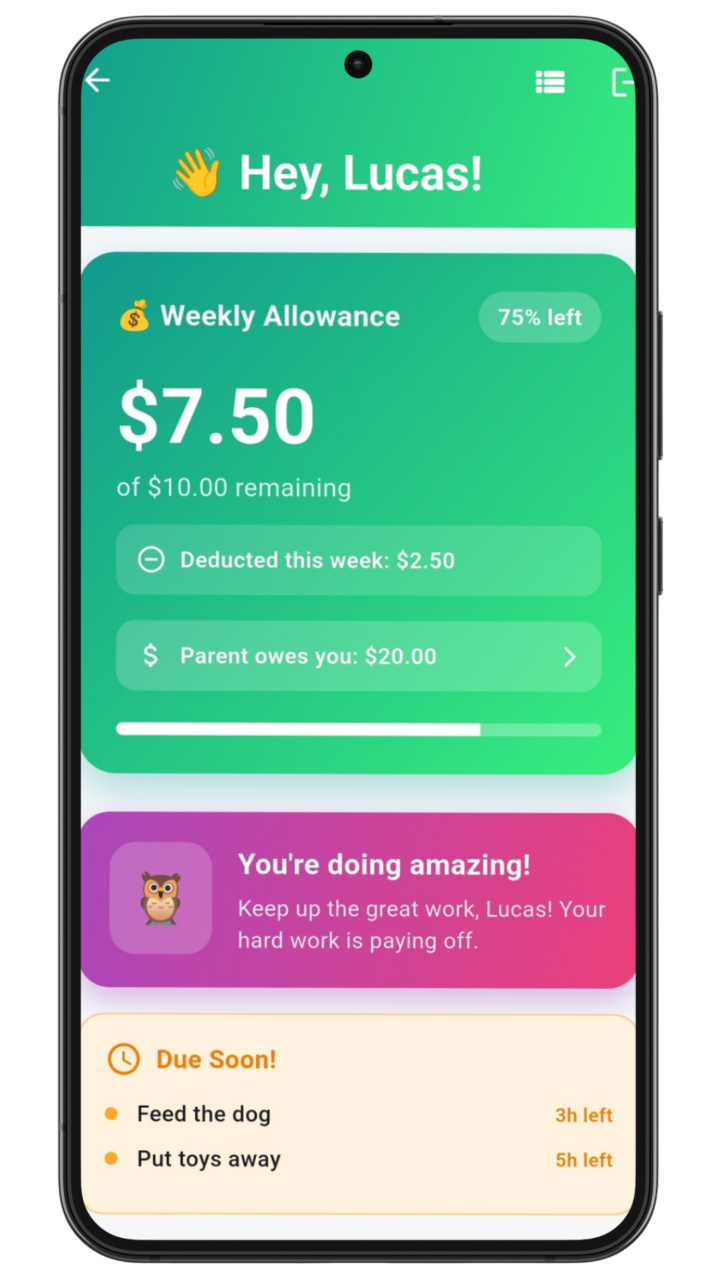
Allowable takes the arguing out of allowance. You set a weekly amount, assign tasks with deadlines, and the app handles the rest. When tasks are missed or late, allowance adjusts automatically. No reminders. No negotiations. Just clear expectations and predictable outcomes.

How Allowance Works

The rules are simple and consistent, so you never have to explain them twice.

  • Parents set a weekly allowance amount
  • Tasks are assigned with deadlines
  • If a task is completed on time, allowance stays the same
  • If a task is missed or proof isn't submitted, an amount is deducted
  • Allowance never goes below $0

Kids learn to connect responsibility to outcomes. You stay out of the middle.

Key Features

Everything you need to take allowance off your plate

Weekly Allowance Feature
đź’°

Allowance Without Negotiation

Set weekly amounts. Automatic adjustments when tasks are missed. No more back-and-forth about what's fair.

Task Management Feature
âś…

Clear Tasks, Clear Deadlines

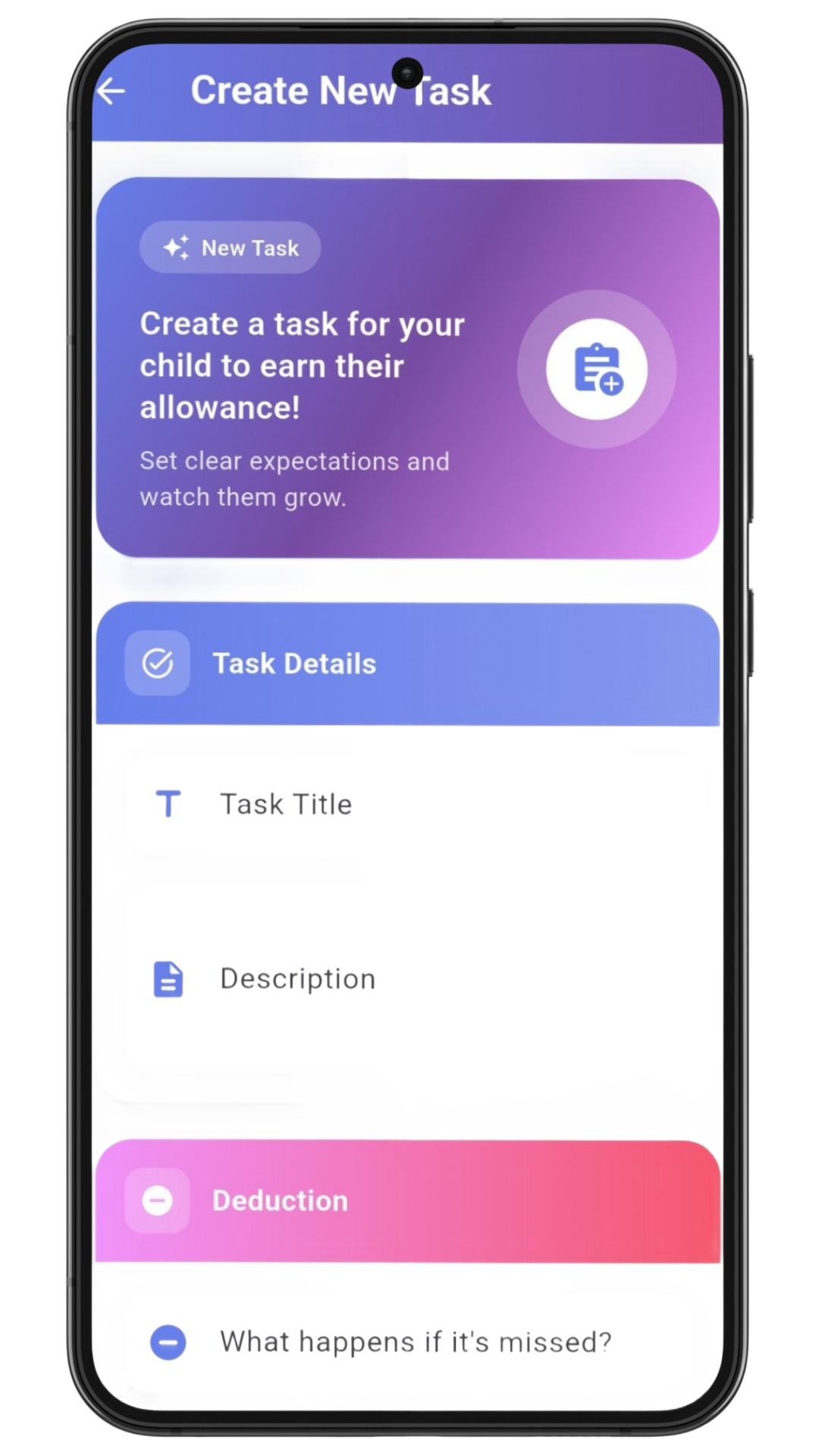
Assign tasks with due dates. Kids know exactly what's expected and when. Parents approve with one tap.

Proof of Completion Feature
📸

No More "I Did It" Arguments

Kids upload photo proof. You approve or reject. Photos stay private and are deleted after review.

Parent Controlled Feature
đź”’

You Stay in Control

You create all accounts. Kids join via secure link. No social features, no surprises.

Task Board Feature
đź“‹

Let Kids Take Initiative

Post optional tasks kids can claim for bonus rewards. Encourages responsibility without forcing it.

Flexible Payments Feature
đź’ł

Pay Your Way

Track payments however you like. Zelle, Apple Pay, cash. The app tracks, you pay.

How It Works

Simple steps to get started

Step 1: Set Up

1. Set Up

Parents create an account and set weekly allowance amounts for each child. Choose payment methods and preferences.

Step 2: Invite Kids

2. Invite Kids

Each child receives a secure magic link invitation. Kids cannot create accounts or invite others on their own.

Step 3: Assign Tasks

3. Assign Tasks

Parents create tasks with deadlines. Kids can also claim optional tasks from the Task Board for bonus rewards.

Step 4: Complete & Approve

4. Complete & Approve

Kids complete tasks and submit proof. Parents review and approve or reject. Allowance adjusts automatically.

Step 5: Pay Outside the App

5. Pay Outside the App

Parents complete payments using their preferred method (Zelle, Apple Pay, cash, etc.). The app tracks but doesn't store or move money.

Is Allowable Right for Your Family?

Allowable is built for:

  • Parents tired of repeating themselves
  • Families who want clear, consistent expectations
  • Households where allowance has become a source of conflict
  • Blended families seeking neutral ground

Allowable may not be the best fit if:

  • You're looking for a prepaid debit card for kids
  • You want a gamified app with points and badges
  • Your children are under 10 and not ready for deadline-based tasks

Pricing

Simple plans. No hidden fees. Start free.

Free

$0
Forever
  • One child account
  • Weekly allowance tracking
  • Task management
  • Proof of completion
  • All core features
Get Started

Frequently Asked Questions

Everything you need to know

Does Allowable use real money?

Allowable tracks allowance, it does not store or move money.

Parents complete payment outside the app using their preferred method, including:

  • Zelle
  • Apple Pay
  • Google Pay
  • Cash (marked as paid)

Kids cannot send, receive, or manage money inside the app.

How do kids join?
  • Parents create all accounts
  • Each child is invited via a secure magic link
  • Kids cannot invite others or create accounts on their own

This keeps setup simple and safe.

What is proof of completion?

Parents can require kids to upload a photo as proof that a task was completed (for example, a cleaned room or finished homework).

Important privacy notes:

  • Photos are visible only to the parent
  • Photos are used solely for task approval
  • Photos are automatically deleted after approval or rejection
  • Photos are never shared or reused
Is this too harsh for kids?

Allowable is designed to be fair, not punitive.

Parents can:

  • Set grace periods
  • Manually approve tasks
  • Override deductions
  • Use non‑monetary rewards

The goal is consistency and clarity, not punishment.

What is the Task Board?

The Task Board allows parents to post optional, unassigned tasks that kids can voluntarily claim.

Examples:

  • Extra chores
  • One‑time responsibilities
  • Household help

Parents decide the reward, which can be:

  • Bonus allowance
  • Extra screen time
  • Special privileges

Participation is optional and always parent‑controlled.

Can kids earn extra rewards?

Yes. Through the Task Board, kids can take initiative by completing optional tasks for parent‑approved rewards.

This encourages:

  • Ownership
  • Motivation
  • Decision‑making
Can kids make purchases or subscribe?

No.

Kids:

  • Cannot subscribe
  • Cannot make purchases
  • Cannot change financial settings

All billing and upgrades are handled by the parent account.

What notifications does Allowable send?

Allowable sends system notifications to help families stay on track, including:

  • Task reminders
  • Deadline alerts
  • Approval notifications

Parents can control notification settings for themselves and their children.

Is Allowable safe for kids?

Yes. Allowable is built with child safety in mind:

  • No social features
  • No messaging
  • No public profiles
  • No advertising to kids
  • No data selling

All activity is private within the family.

What happens if a child forgets a task?

If a task is missed:

  • The allowance is adjusted automatically
  • Parents can override the deduction if needed
  • Allowance never goes below $0

Mistakes are part of learning.

Does Allowable replace parenting?

No, it supports it.

Allowable helps reduce arguments and reminders by making expectations clear and consistent, so parents can focus on conversations instead of enforcement.

How is this different from other allowance apps?

Most apps only reward completion.

Allowable teaches:

  • Accountability
  • Deadlines
  • Consequences
  • Initiative

It mirrors how responsibility works in the real world.

How can I get started?

Download Allowable, create a parent account, add your first child, and set your weekly allowance. You can be up and running in minutes.

Get Started Now

Ready to Stop Being the Bad Guy?

Join families who've taken allowance arguments off the table.